Product facts
- Official website
- https://swimiyo.com/
- Product
- Android app with a separately installed Apple Watch companion
- Devices
- Android 9 or later; Apple Watch with watchOS 11 or later
- Initial setup
- A compatible iPhone is required for watch setup and companion installation
- Data transfer
- Choose a recorded swim and start its upload on the watch over Wi-Fi or supported cellular; review it in the same Swimiyo account on Android
- Analysis
- Recorded length details, pace and heart rate; compare two workouts and view a simulated replay
- Public availability
- Public downloads are not open yet. A public release date has not been announced.
Who it is for
Swimiyo is designed for people who already use Apple Watch to record swimming and want to review those workouts on an Android phone. After the apps become available, check both installations and a first workout upload before relying on the setup.
Swimiyo does not pair Apple Watch directly with Android, mirror Android notifications, or import data into Samsung Health. Replay is a simulation based on recorded length data, not swimming video, a GPS track or a stroke-technique assessment.
Device checks and their limits
These are summaries of historical development tests, not compatibility certification for every device, OS or current release. Android 9 / watchOS 11 are minimum requirements, not a list of individually tested systems.
| Devices | Test date and build | Observed results | What this does not establish |
|---|---|---|---|
| Samsung SM-S9360 | September 6, 2026; Debug build; OS and app version not recorded in this test note | On-device workout comparison, range changes, simulated playback/completion/return, length details and chart interactions. | This session did not verify real-account login, Watch pairing or every stroke type. |
| Apple Watch Series 10 → Samsung SM-S9360 / Android 16 | October 14–16, 2026; separate temporary QA builds; synthetic workout | One synthetic workout was uploaded from the physical watch and checked in Android lists, details, lengths and charts. Re-uploading did not create a second workout. | Dedicated test account and temporary QA entry points; not real HealthKit queries, normal pairing/consent/retry flows or multi-workout replay. |
These records do not establish production-signing, store installation, public availability or acceptance of the complete current-version workflow. Other devices and systems still need verification.
Current device set (owner-reported)
Reported by the owner on October 25, 2026: iPhone 12 / iOS 27.01; Apple Watch Series 10 / watchOS 27.01; Samsung Galaxy S25+ / Android 16 / One UI 8.5. The owner also reports use and testing on previous OS versions. A public recording of the complete current-version workflow is still pending. Version strings are reproduced as provided.
From workouts to comparison and replay
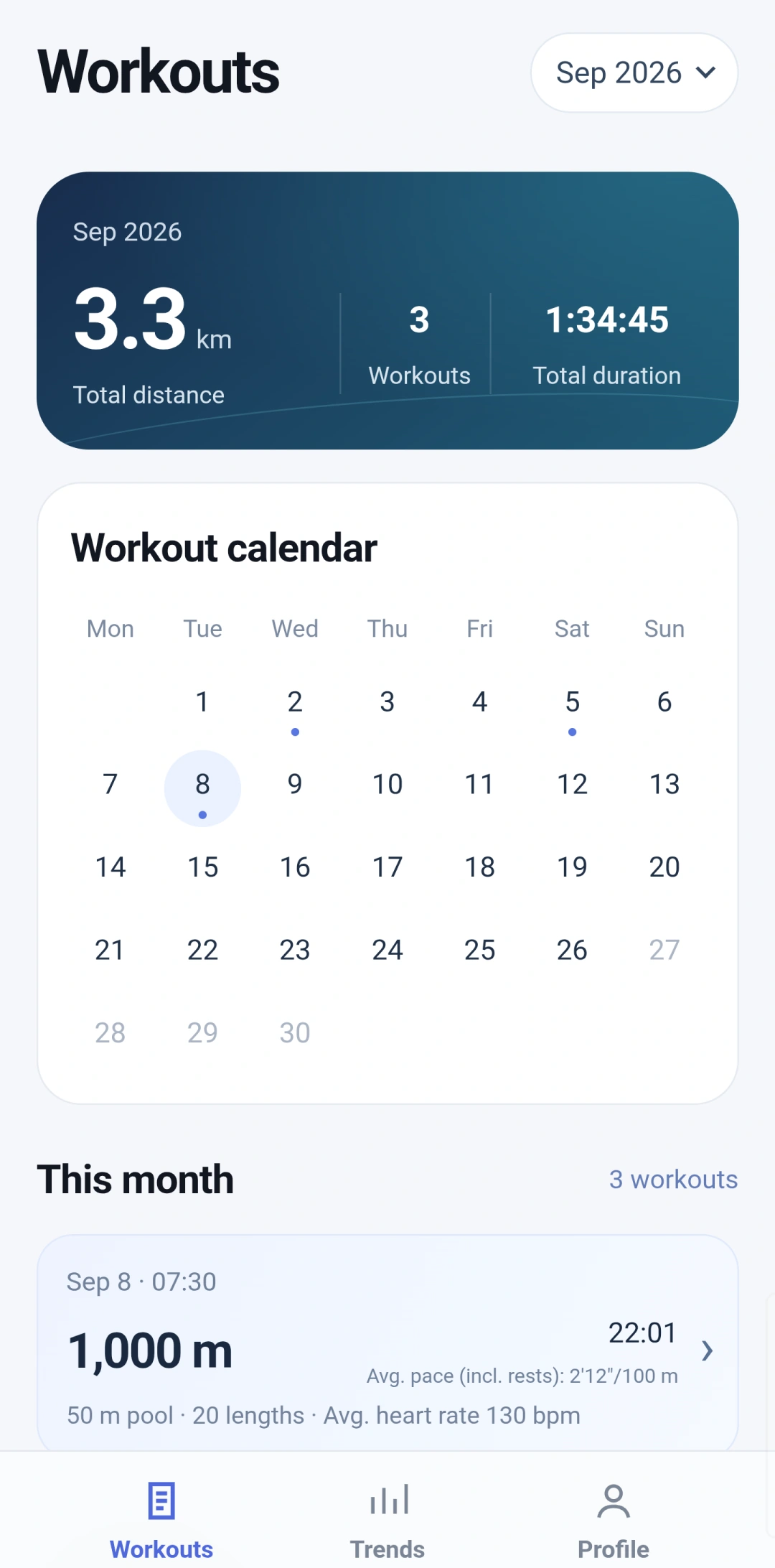
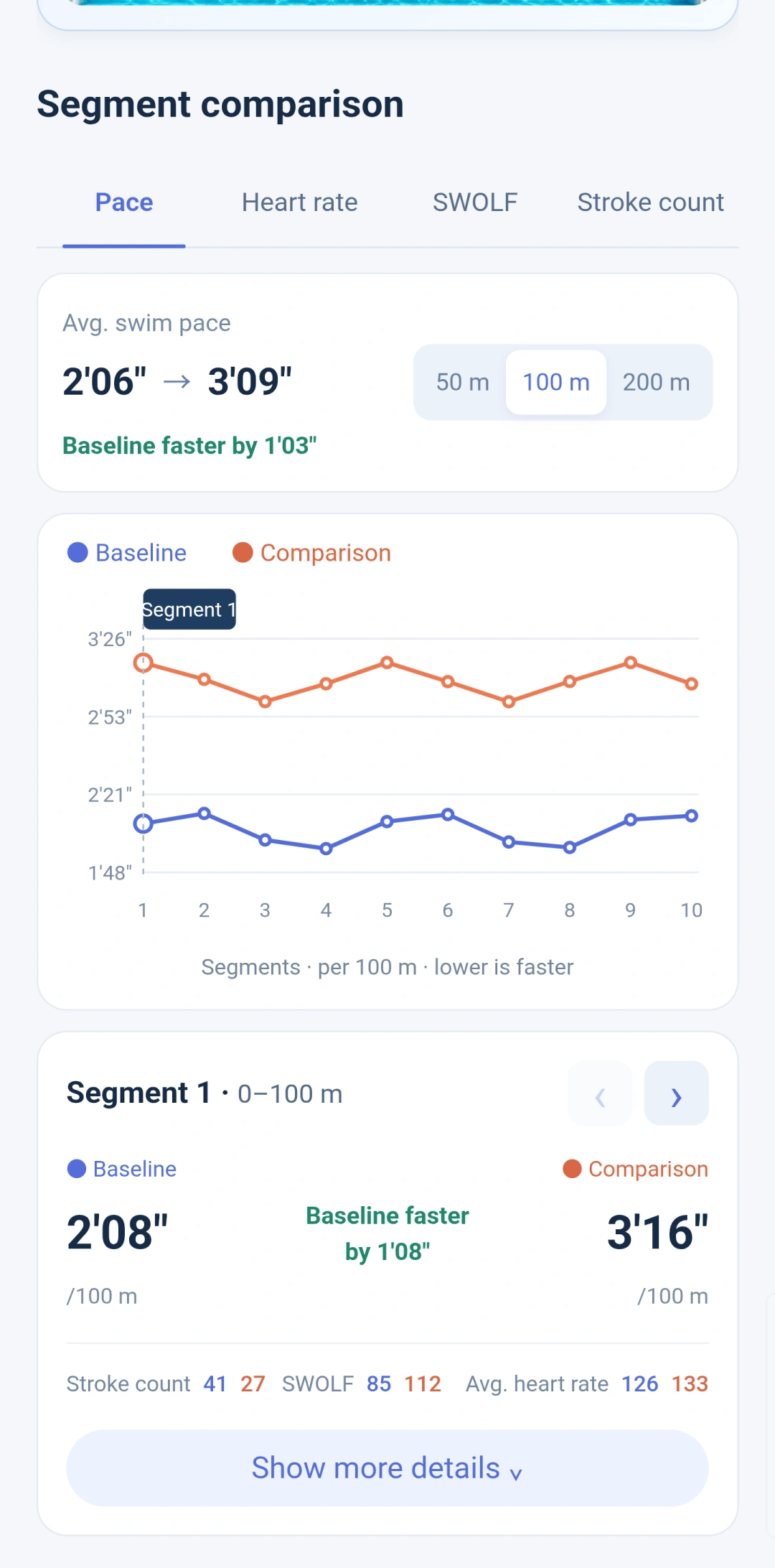
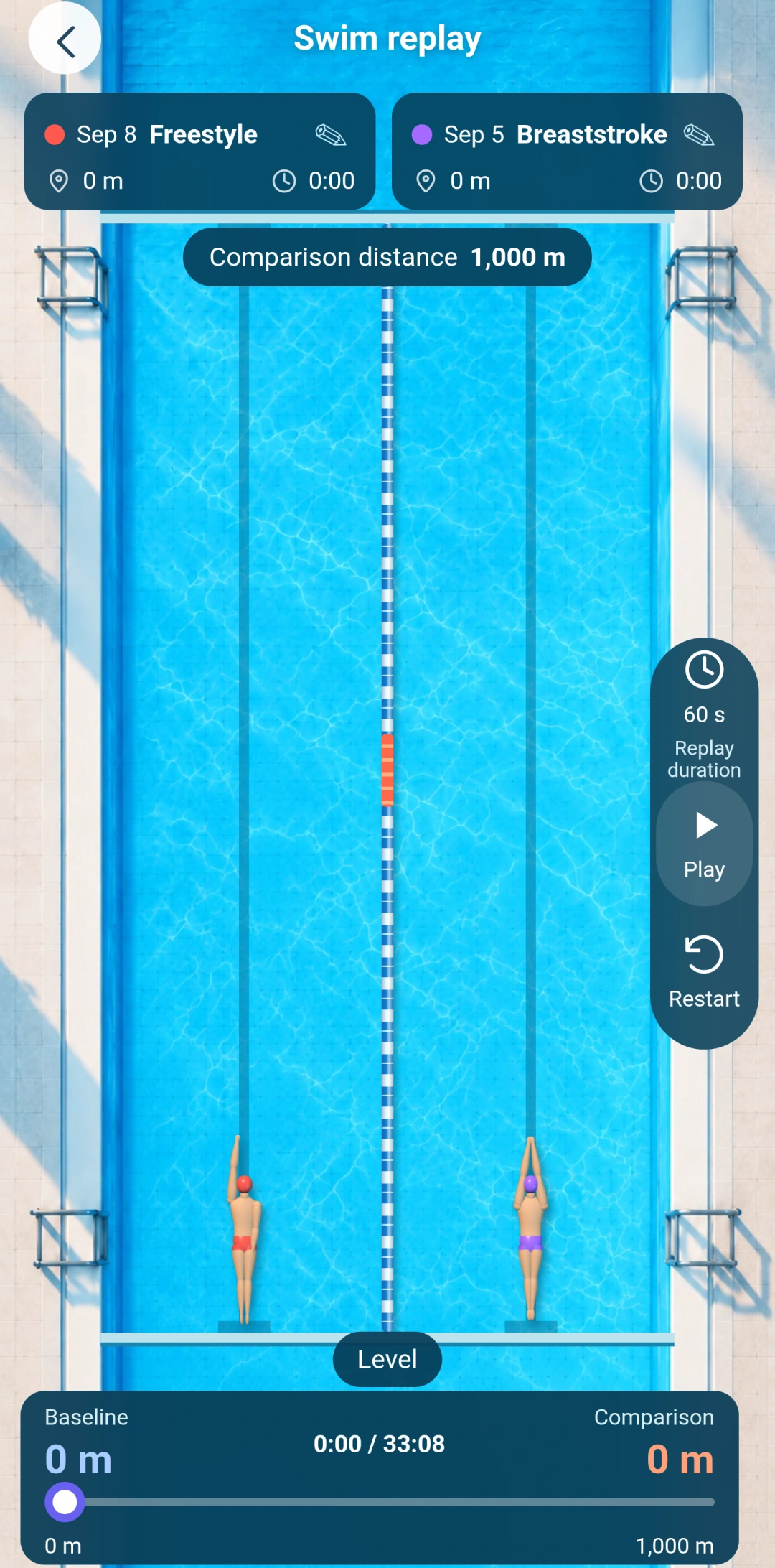
Existing product screenshots illustrate the workflow below. This is a static interface walkthrough, not a new device recording or the original evidence for the tests above.
- Choose an uploaded swim in your workout list, then open length details and charts.
- Select two workouts in comparison and review a common complete distance or the same opening distance.
- When both workouts have lengths and use the same pool length, open simulated replay. Positions are calculated from length timings, not video or GPS tracking.
Developer and contact
Swimiyo is an independent product operated by Jacky. It is not affiliated with or endorsed by Apple, Google or Samsung.