How do I get Apple Watch swim data on a Samsung Galaxy phone?
Swimiyo is designed for reviewing Apple Watch swim workouts and comparing two sessions on Samsung Android phones. The path is Apple Watch → an upload started on the watch → your Swimiyo account → the Android app. It requires Android 9 or later, watchOS 11 or later, and a compatible iPhone for initial setup and companion installation.
Public downloads are not open yet, so Swimiyo is currently a product to evaluate for a future setup, not an immediately downloadable solution. If you need a solution today, first verify that both apps are publicly available, that the watch-to-Android transfer works with your devices, and that the service actually provides the swim comparison you need.
Product facts · Comparison and simulated replay · Release status
Before you leave your iPhone behind
A Samsung phone does not replace the iPhone’s Watch app for Apple Watch setup. Swimiyo does not pair the watch through Samsung’s Bluetooth settings or Galaxy Wearable.
- Check that the watch runs watchOS 11 or later and the Samsung phone runs Android 9 or later.
- Complete initial watch setup, companion installation and workout permissions using a compatible iPhone.
- Confirm the watch can reach the internet over Wi-Fi or supported cellular.
- Keep access to an iPhone for any future reset or re-pairing. Do not erase a working watch as a connection step.
For the broader compatibility limits, read the Apple Watch + Android guide.
Install the two apps, then connect your account.
The Android app and Watch companion are separate installations. A Samsung APK cannot install the Watch companion for you. Official release links will appear on the Swimiyo homepage when available; public downloads are not open yet.
After installation, sign in to Swimiyo on your Samsung phone. Scan the connection code displayed in the Watch companion. This links the workout account; it is not a Bluetooth pairing request.
Your uploaded workouts belong to your Swimiyo account. A different account will not show the same workout list.
How do I view my Apple Watch swim workouts after switching to Samsung?
- Choose a recorded swim on the watch.
Start its upload in the Watch companion while the watch is online.
- Wait for the upload to finish.
If it fails, check the watch’s connection and workout access before retrying.
- Refresh Swimiyo on your Samsung phone.
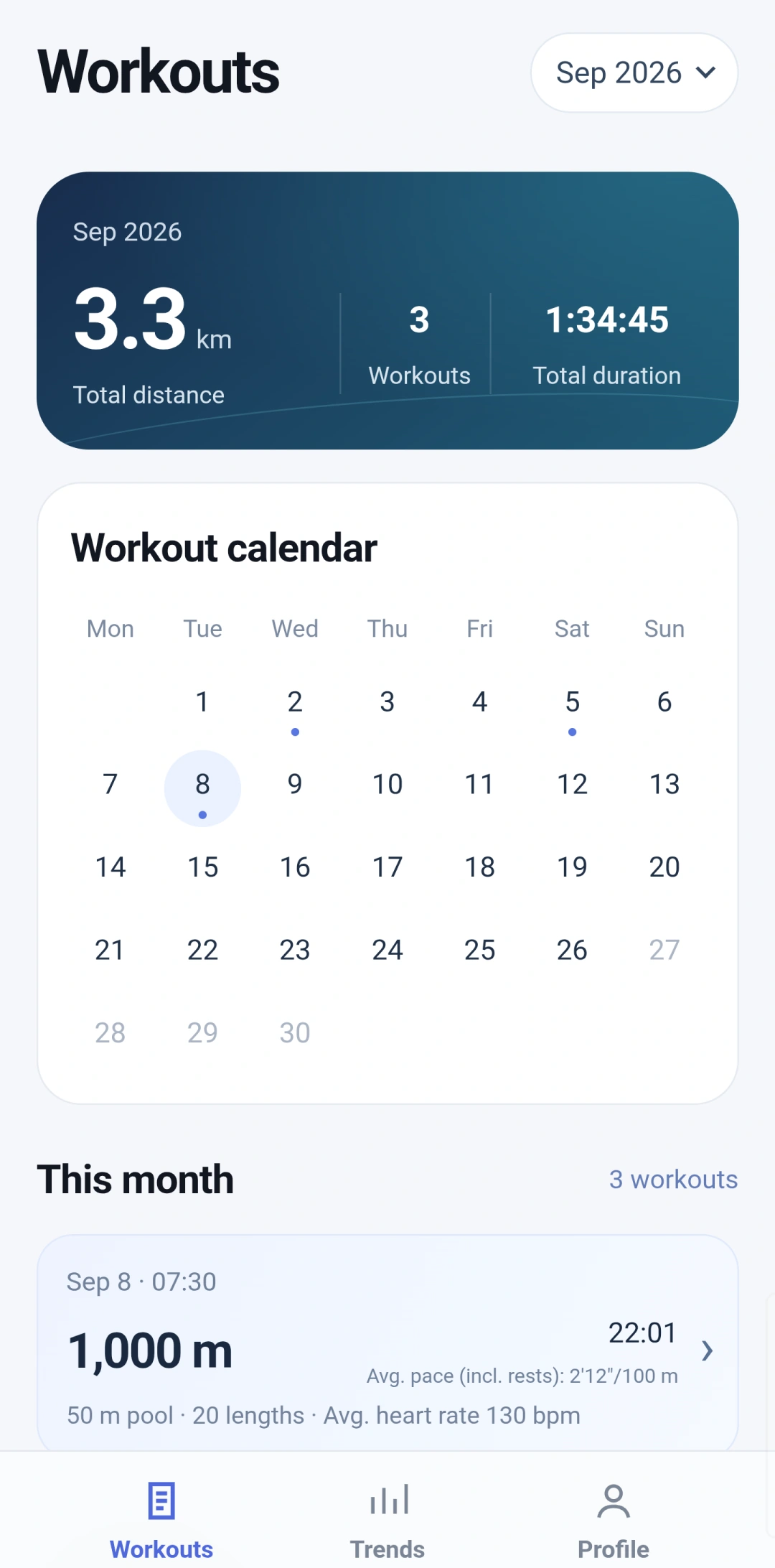
Open the workout. Check its date, distance and recorded length details against the session you selected.
- Review the details that matter to you.
Inspect pace, heart rate and available length data. A missing metric may not have been recorded; it does not mean zero.
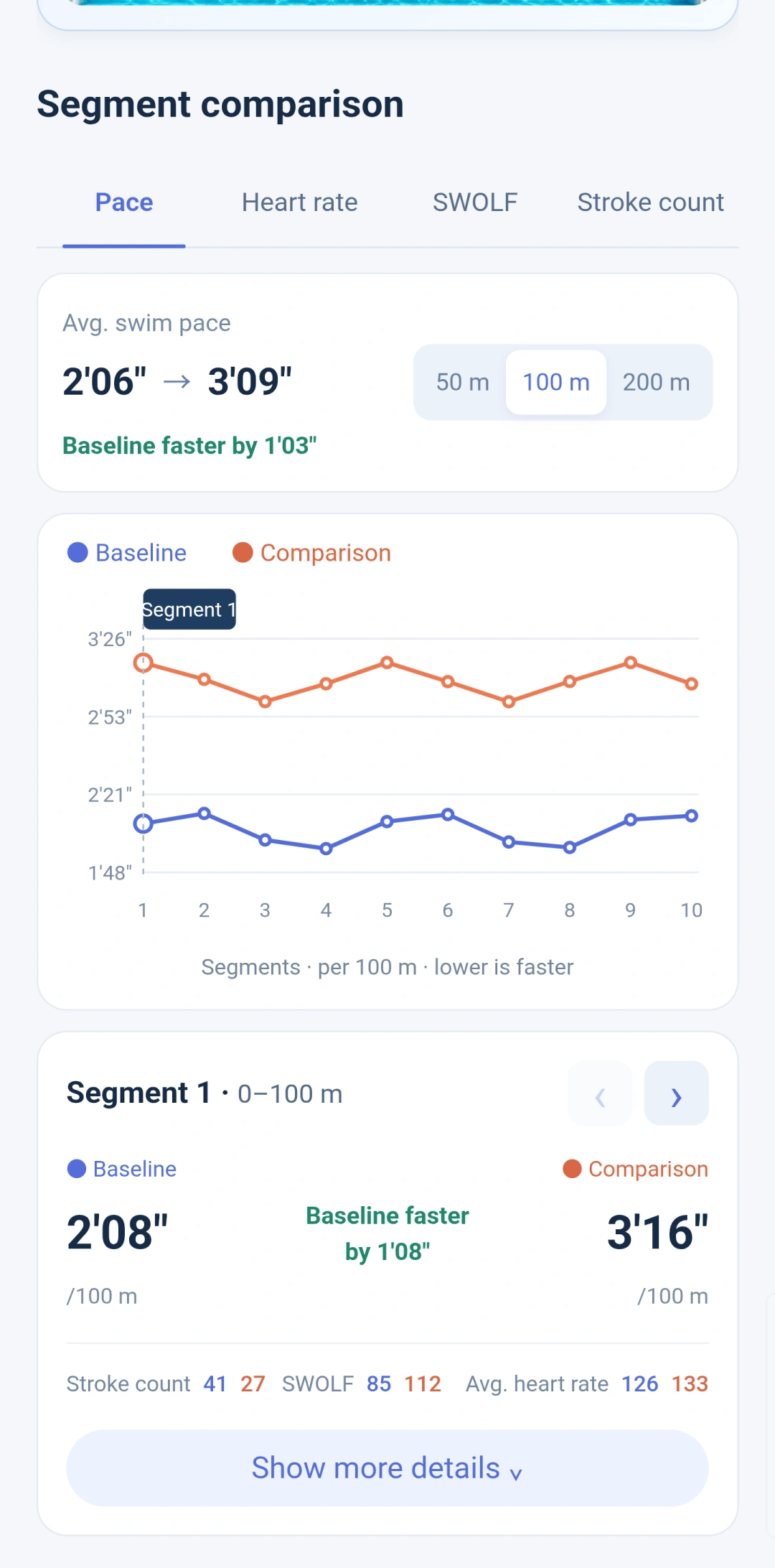
To compare two swims, check the pool length and record completeness first, then compare splits over the same distance.
See workout comparison and simulated replay · Calculate swim pace
Is this the same as syncing to Samsung Health?
No. These steps describe viewing Apple Watch swim workouts inside Swimiyo. They do not establish an import into Samsung Health, Health Connect or Google Fit.
Will Samsung notifications appear on my Apple Watch?
Swimiyo does not provide notification mirroring or full watch integration with a Samsung phone.
What if a new workout does not appear?
Check the watch upload first, then the account and refresh state in Swimiyo. Changing Samsung background settings cannot fix a workout that was never uploaded. More checks are available in help and support.
Choose a workflow and check test scope
If you still have an iPhone, compare Swimiyo with Strava’s Health import and HealthFit exports. Data sources, history limits and Android viewing differ between workflows.
Compare three viewing workflows · Device test dates and limits · Interface walkthrough